Beauty collection organizer for Android
Finish what you open.
Ren We Beauty Cabinet keeps every skincare, haircare and makeup product you own on one shelf — with its real expiry after opening, how much is left, and what to use first.
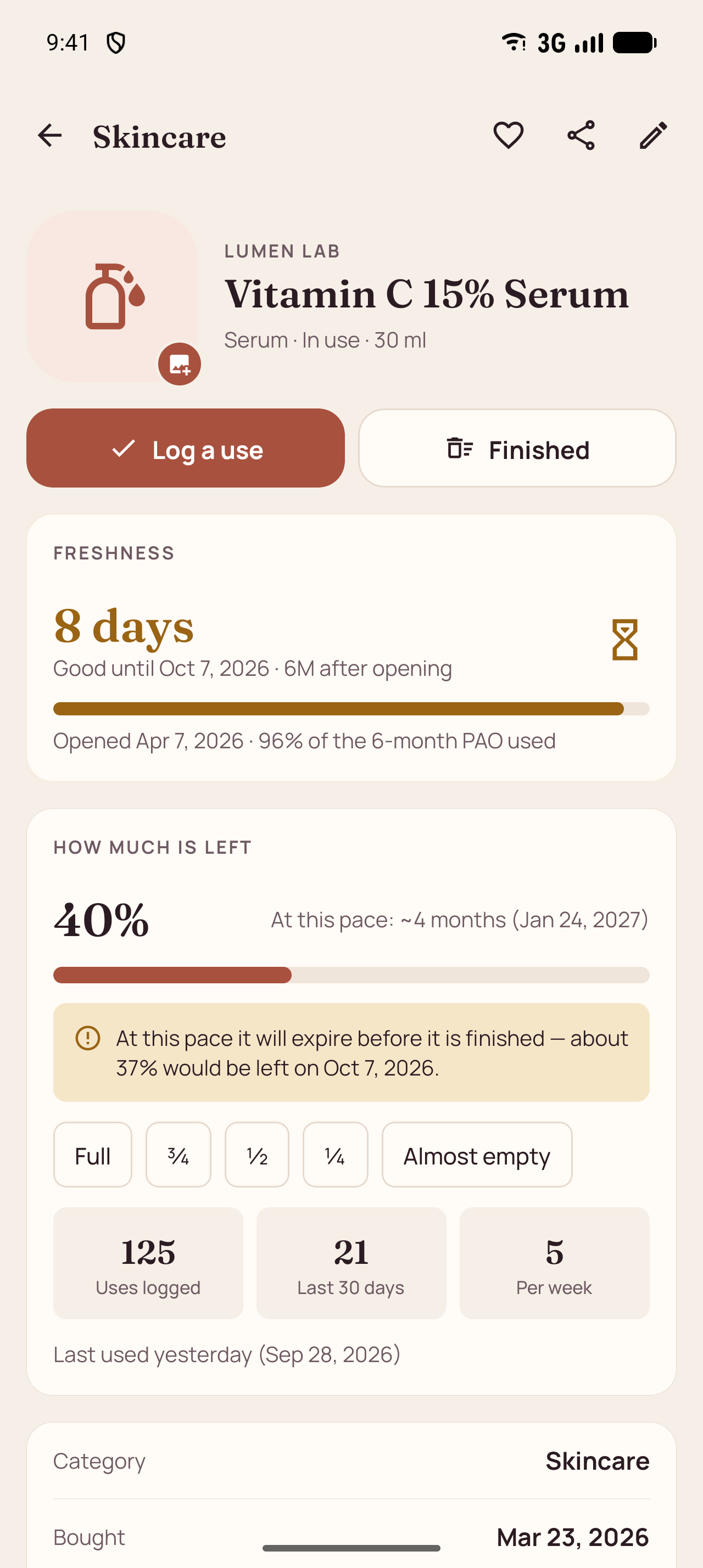
ProductFreshness, amount left and usage
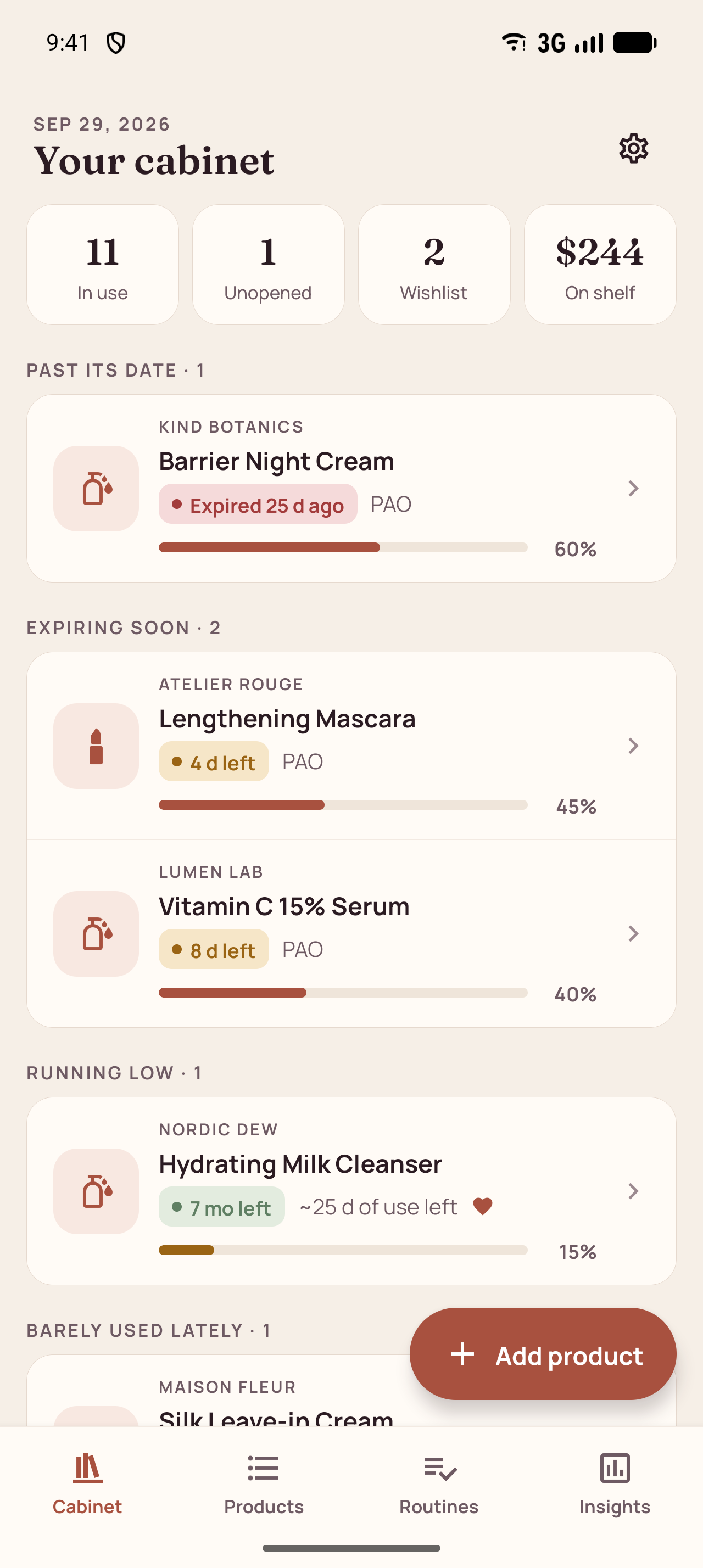
CabinetWhat to use first, grouped by urgency
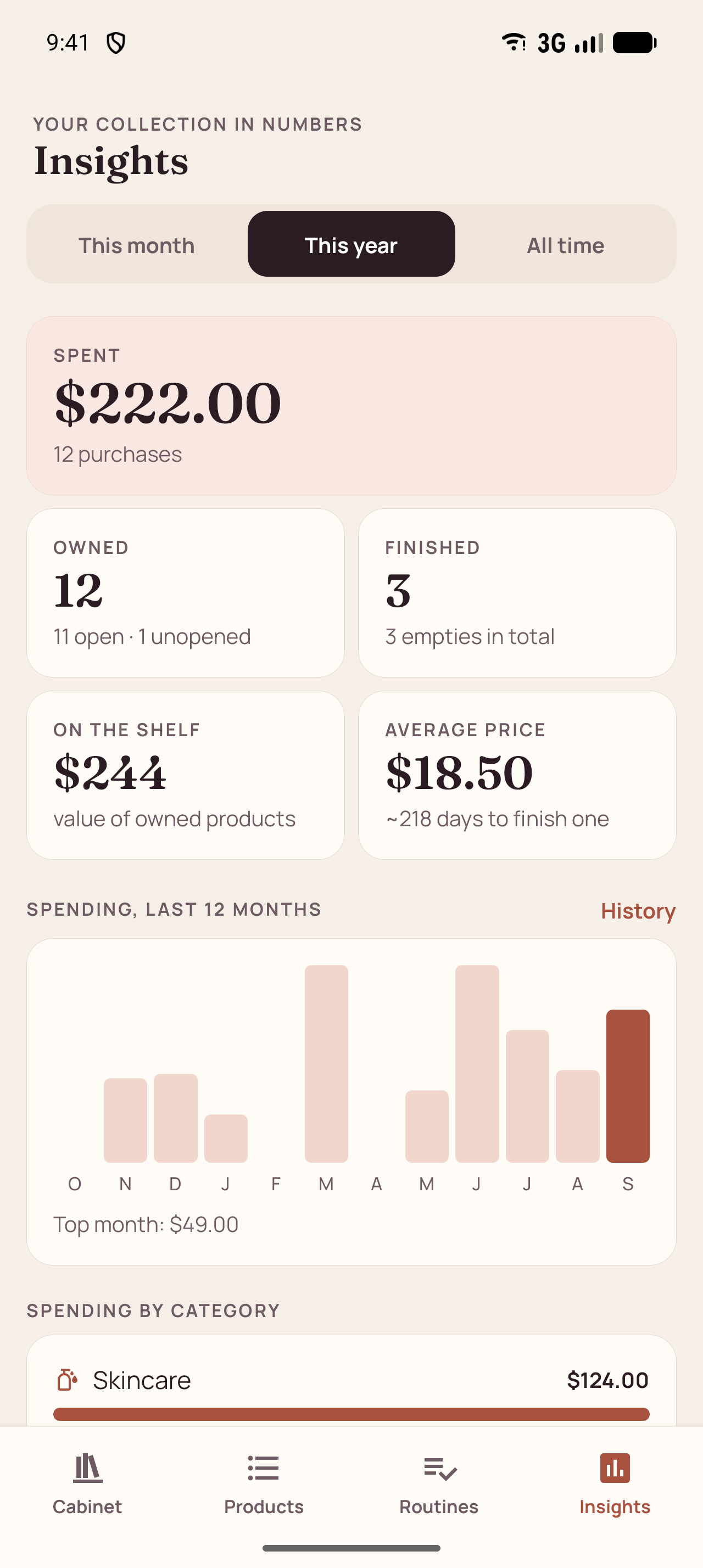
InsightsSpending by month and category
- Skincare
- Haircare
- Makeup
- Nails
- Lashes & brows
- Body care
What’s inside
Everything on the label, none of the guesswork.
Eight things the app does, all free and all on your phone.
Expiry that starts when you open it
Enter the printed date and the PAO from the open-jar symbol. The app counts from the day you opened the product and always shows whichever date comes first.
How much is left, at a glance
Set full, ¾, ½, ¼ or almost empty with one tap and log uses as you go. You get a run-out estimate — and a warning if a product will expire before you finish it.
What needs attention today
The home screen groups products that are past their date, expiring soon, running low, opened a long time ago or barely used lately. No push notifications — it is all there when you open the app.
Favorites, Empties, Wishlist
Plus Buy again and Don’t buy again. Finished products move to Empties; buying one again copies all its details into a new entry.
Routines from what you own
Line up morning, evening, weekly or special routines from your cabinet. Tick one off and every product in it gets a use logged. Steps warn you about expired or finished products.
Spending and statistics
Money spent this month, this year or overall, a 12-month chart, spending and use by category, your most used products, empties and how long products last. Purchase history by month.
Your own verdicts and diary
Star ratings, notes and a dated diary with your photos. A personal log — the app gives no medical or skincare advice.
Backups you control
Export a backup file through the Android share sheet and restore it later. Share a product card, a routine or your whole collection as text.
How the date is worked out
The box says 2028. Your serum disagrees.
Most products carry two clocks: the printed expiry date and the PAO — the little open jar with “6M” or “12M”. Once you open a product, the PAO usually runs out first.
Ren We keeps both, counts from the day you opened it, and shows the earlier one. Unopened products use the printed date until you tap “Open today”.
Vitamin C serum
A worked example
| Opened | Apr 7, 2026 |
|---|---|
| PAO | + 6 months |
| Printed date | Mar 2028 |
| Good until | Oct 7, 2026 |
Screens
A quiet app for a busy shelf.
Real screens from version 1.0.0, filled with the built-in sample products.
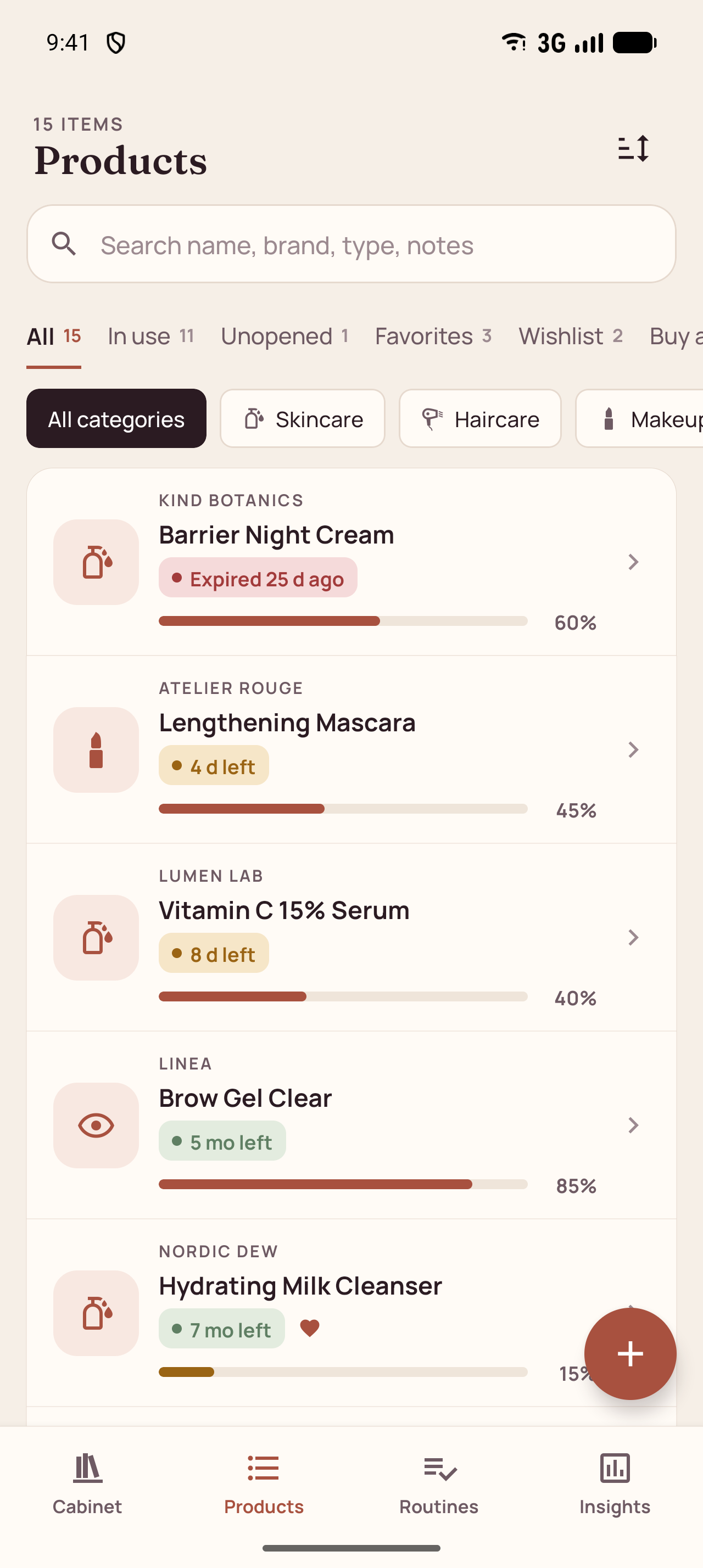
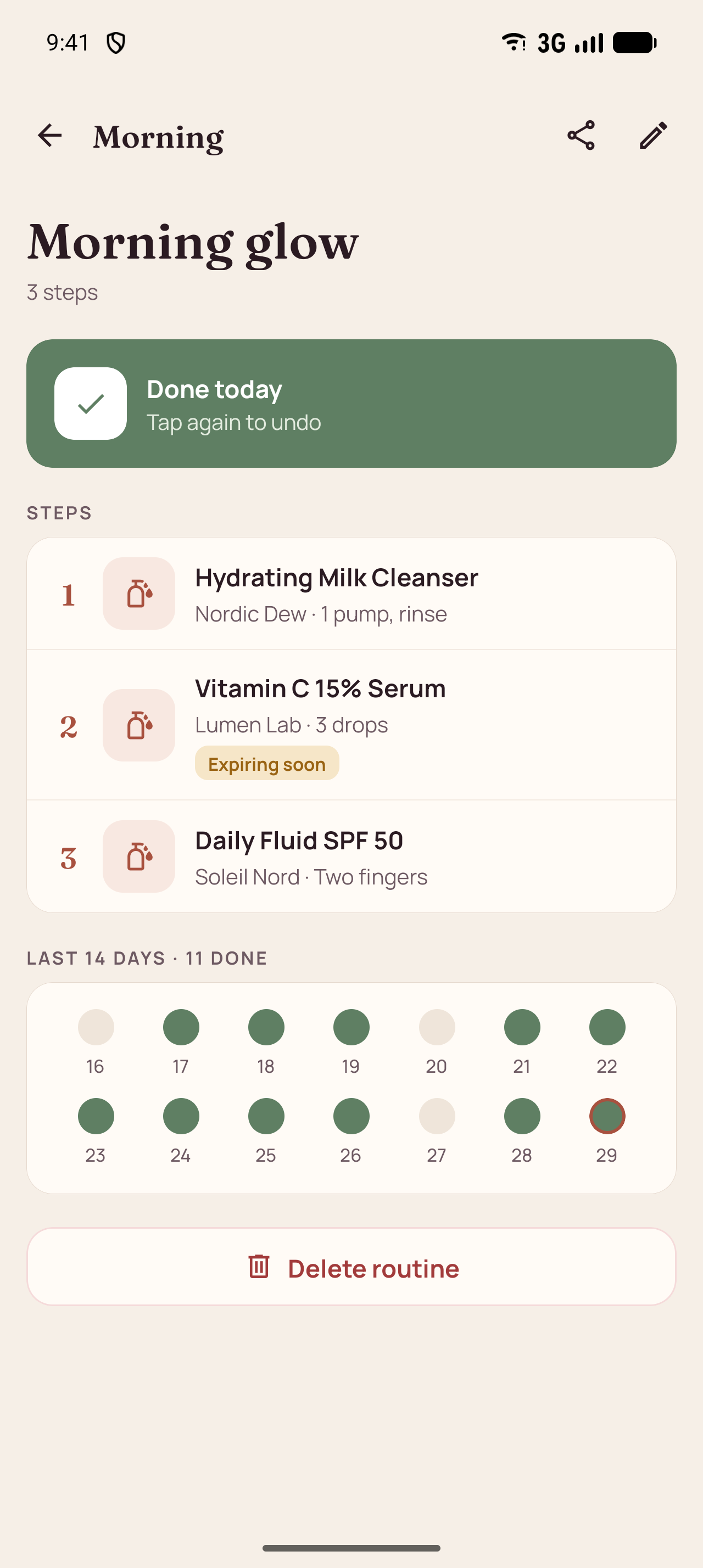
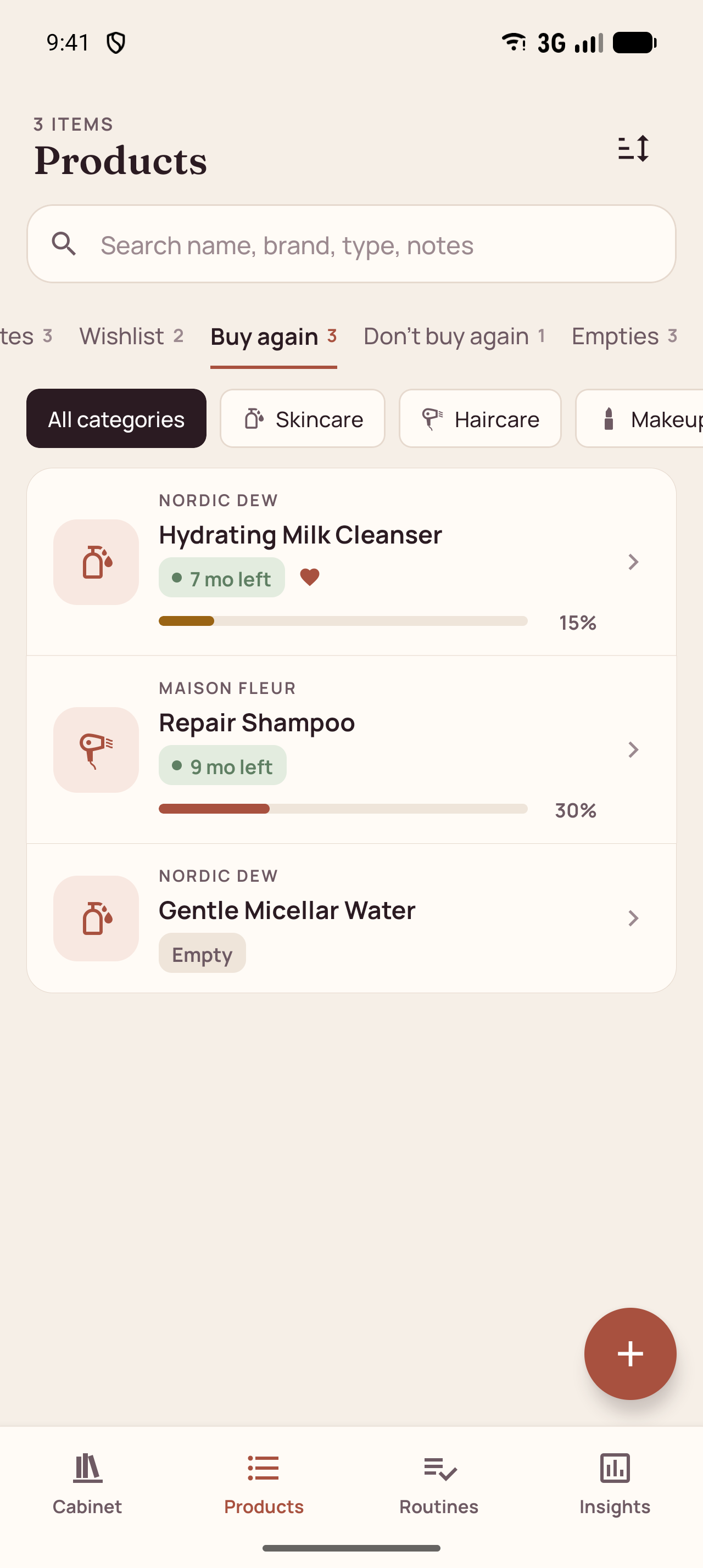
Scroll sideways to see all six screens.
- No accountOpen the app and start adding products. Nothing to sign up for.
- No serversProducts, routines, notes and photos are stored only on the device.
- No tracking or adsNo analytics, no advertising ID, no third-party trackers.
- Only the photos you pickThe Android photo picker hands over just the images you choose.
Questions
Good to know
Is it really free?
Yes. There are no ads, no subscriptions, no in-app purchases and no locked features.
Will it remind me when something expires?
The app does not send notifications. Instead, the Cabinet screen always lists what is expired, expiring soon or running low the moment you open it.
What is PAO?
Period After Opening — the open-jar symbol on the pack with a number like 6M or 12M. It says how many months a product stays good once opened. Ren We compares it with the printed date and uses the earlier one.
Where is my data stored?
Only on your phone. There is no account and no server. You can export a backup file whenever you like.
Does the app need access to my gallery?
No. Photos are chosen with the Android system photo picker, so the app only receives the images you pick.
Can it tell me if a product suits my skin?
No. Ren We is an organizer, not a medical or cosmetic advisor. Dates are calculated from what you enter.
Put your cabinet in order.
Add the products you already own, then let the app tell you what to use first.
Coming soon to Google Play